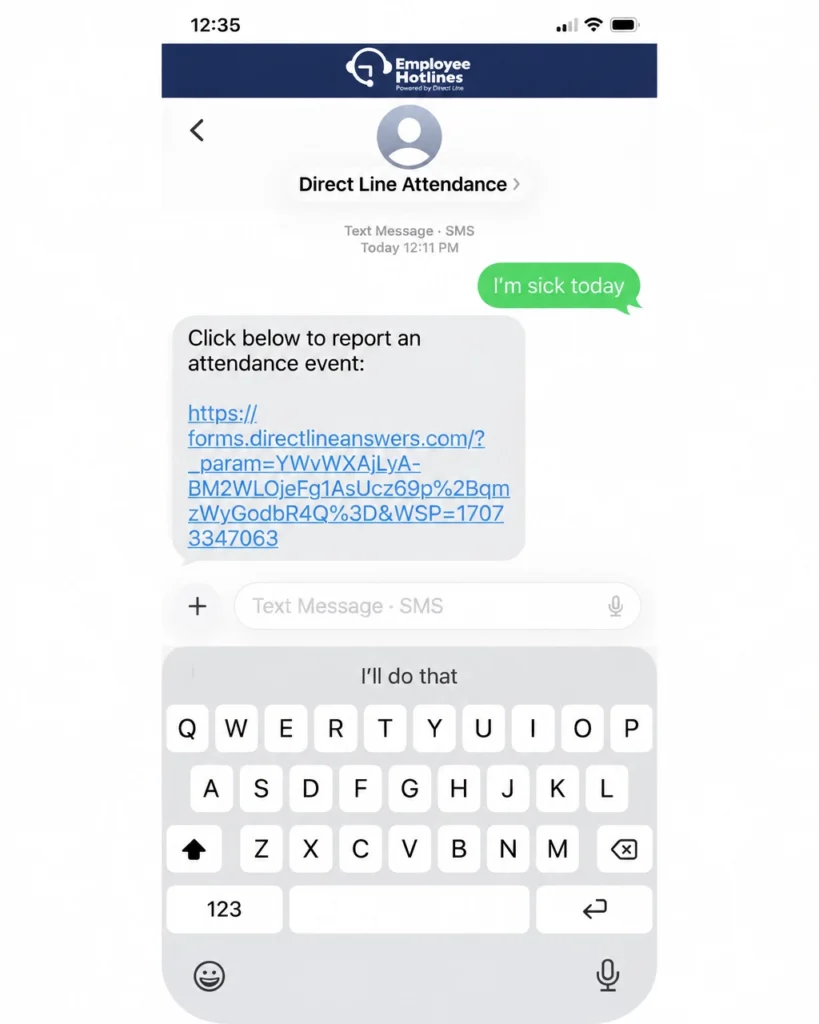
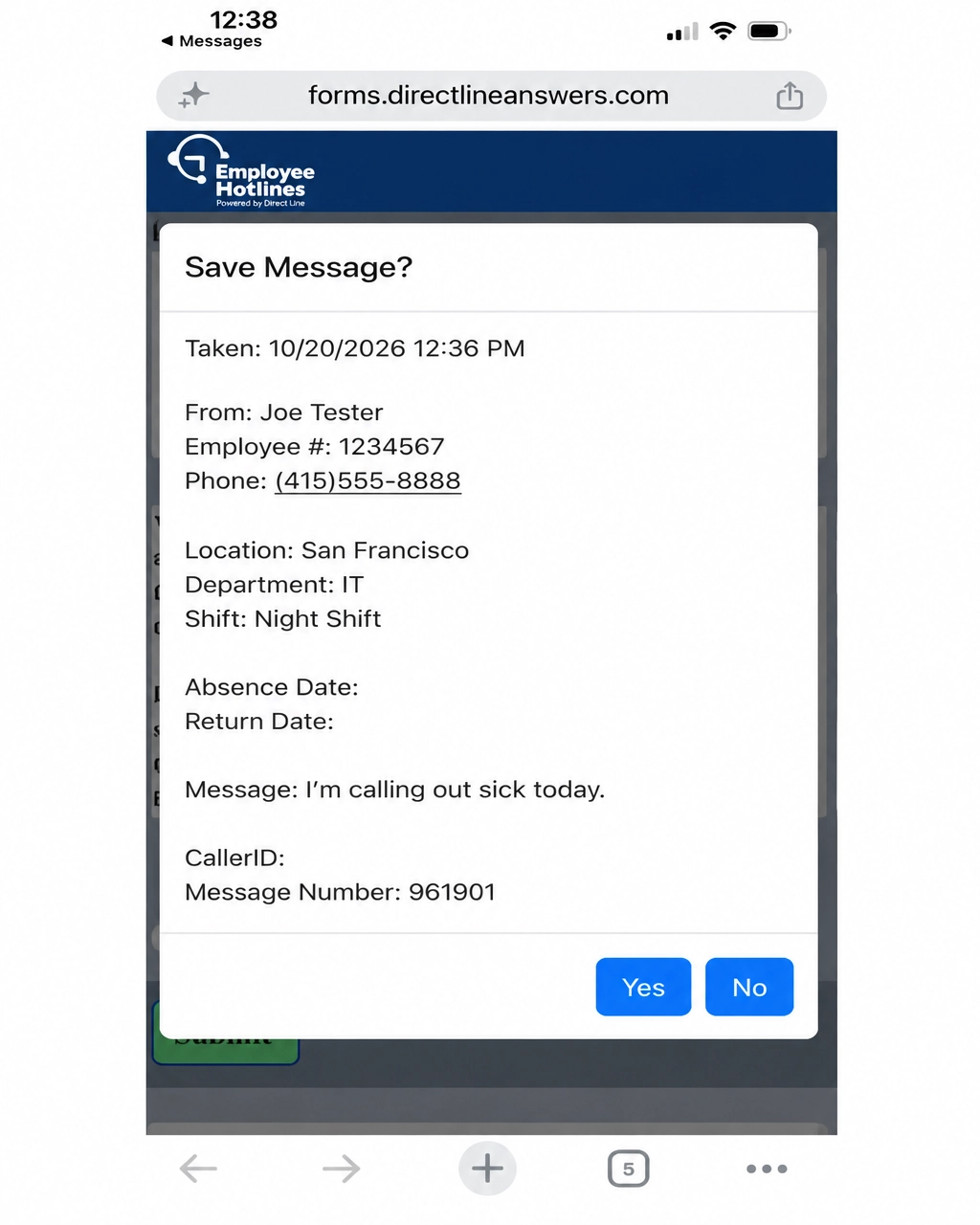
Employees text to report an absence and receive a link to a mobile-friendly form. Once completed and submitted, the report is sent to their supervisor and/or HR.
The employee sends a text to report they will be absent and receives a link to the reporting form.
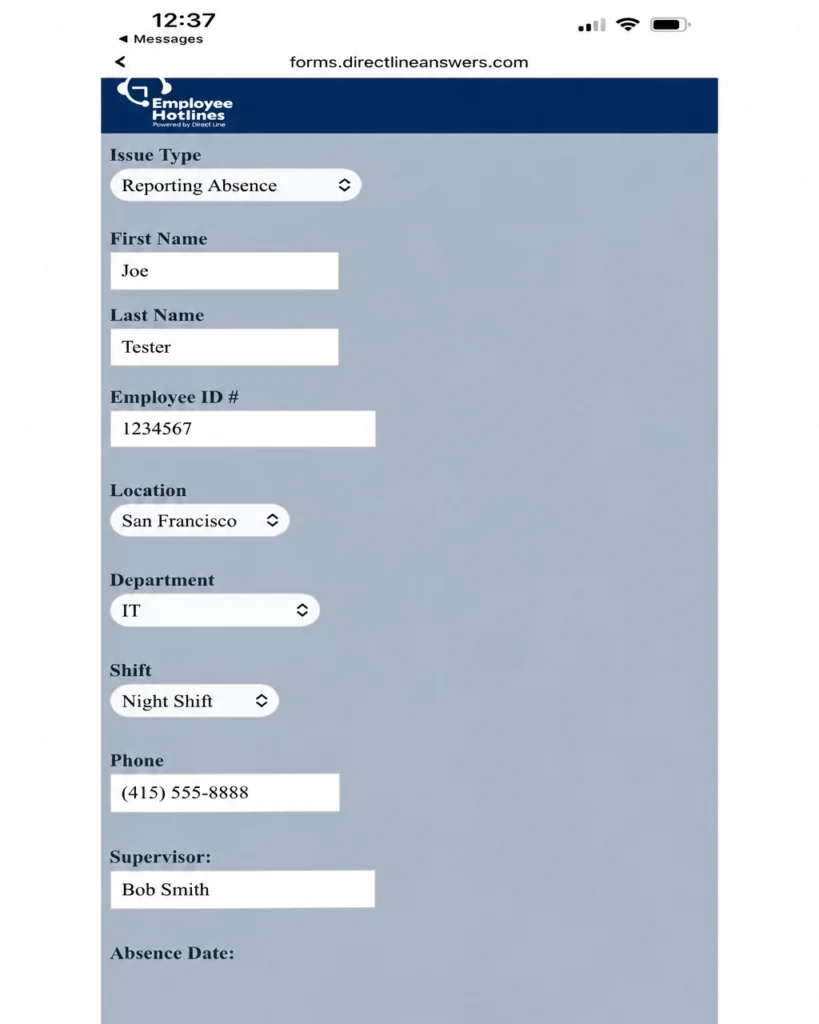
Complete the mobile form
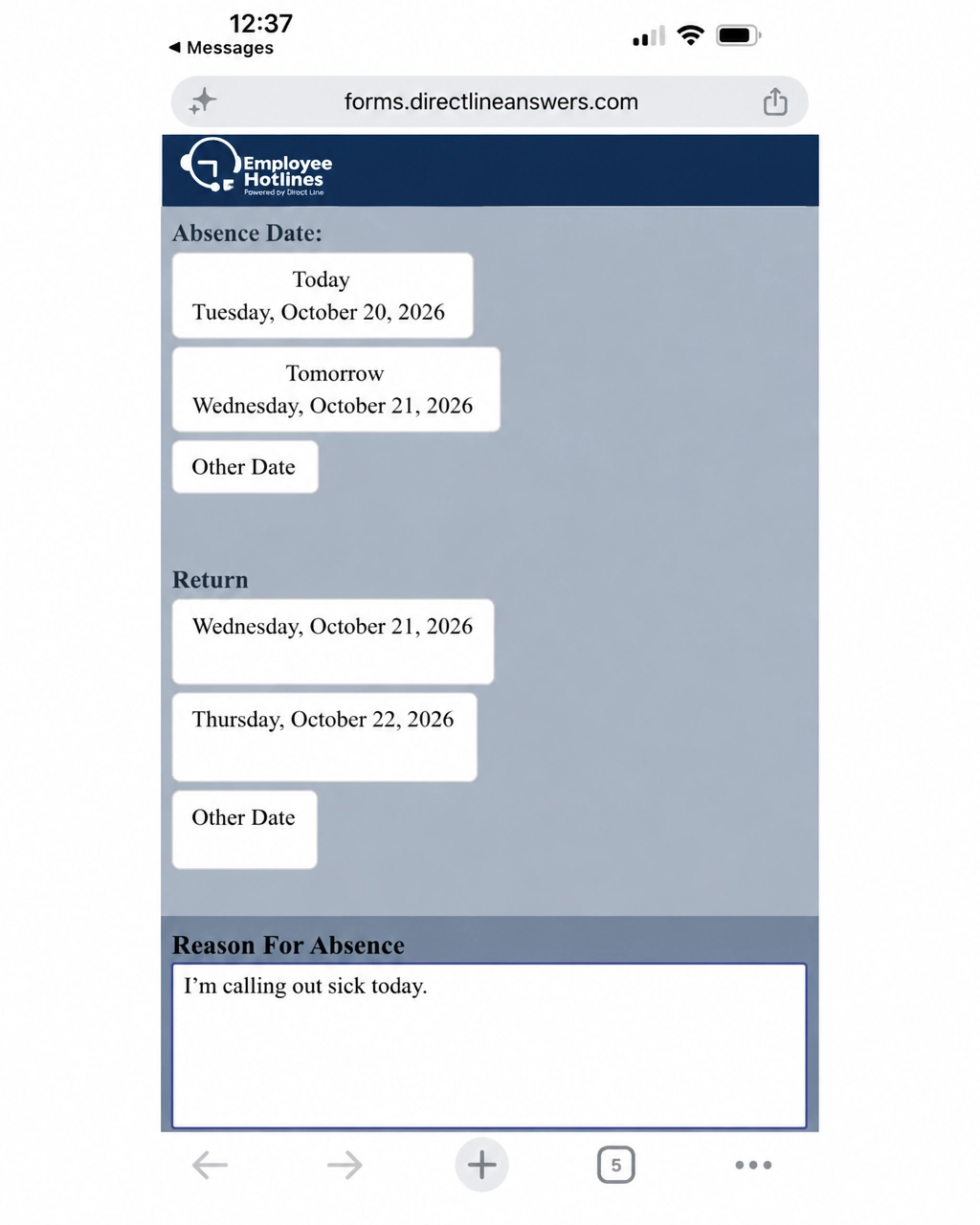
The employee provides the relevant details, such as their name, employee ID, location, department, shift, absence dates and reason.
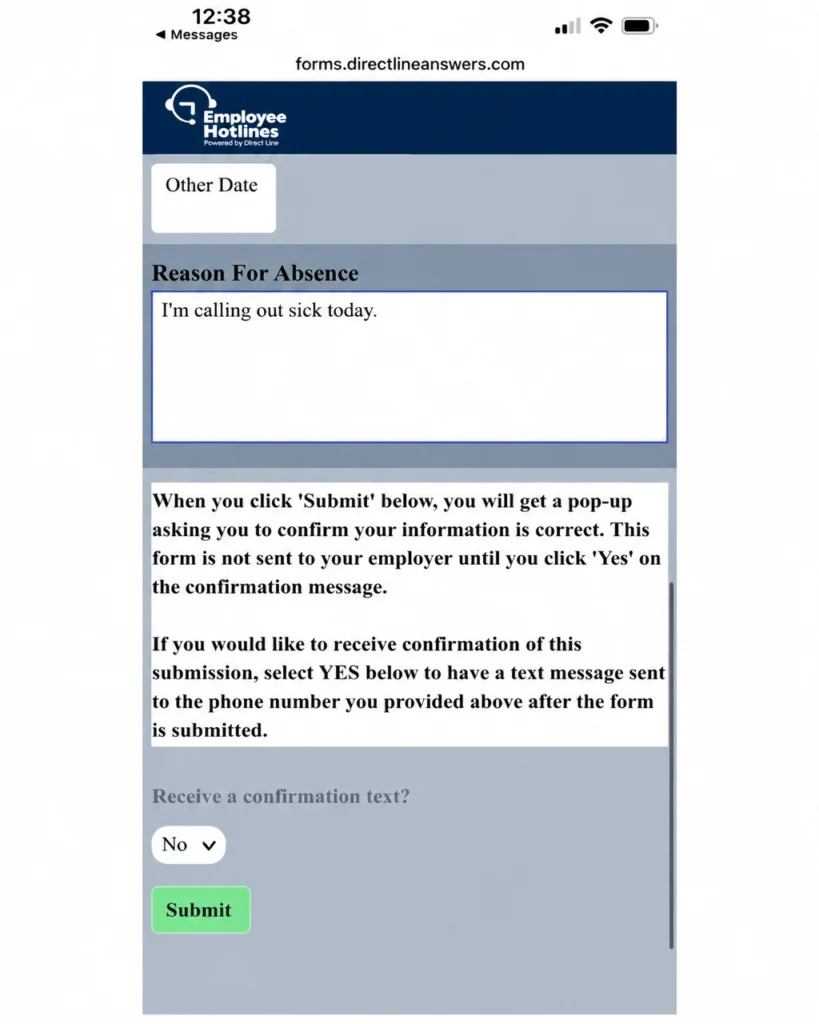
Review and submit
The employee reviews the information and confirms the report before submitting it.
Built for clearer handoffs
The right absence details, sent to the right people.
The form collects information such as employee details, location, department, shift, absence dates and the reason provided. After the employee confirms and submits it, the report goes to their supervisor and/or HR.